iPhone Overheating While Charging – Causes and Fixes

Ever seen your iPhone overheating while charging? You’re not alone. Many people face this problem, and it’s worrying. Understanding why this happens is key to avoiding damage to your device.

The problem of iPhone overheating during charging can come from many sources. It could be hardware or software issues. Knowing the cause helps you find the right solution.

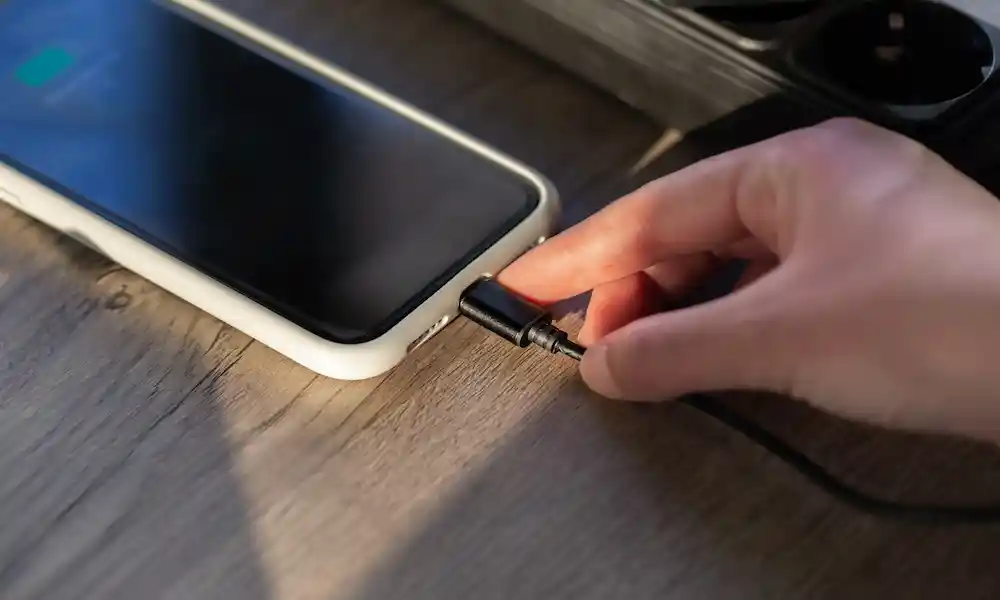
charging iphone

Fortunately, there are steps to address the overheating issue. You can make sure your iPhone charges safely and well.

Key Takeaways

  • Understand the common causes of iPhone overheating during charging.
  • Learn how to identify if your iPhone is overheating.
  • Discover simple fixes to prevent iPhone overheating.
  • Find out how to maintain your iPhone’s battery health.
  • Explore additional tips for safe iPhone charging practices.

Understanding iPhone Overheating Issues

iPhones can get hot, but knowing when it’s a problem is key. Overheating, often during charging, is a big concern. We must tell normal heat from when it’s too hot.

Normal heat & Problematic heat levels

Just like other devices, an iPhone heats up during use or charging. There exists a big difference between normal heating and overheating. Normal heating occurs during heavy tasks like gaming or video editing. Overheating refers to excessive heating that can cause problems like battery drain or shut down.

How to Know When Your iPhone Is Too Hot

Check to see if your iPhone is too hot by checking for excessive warmth or for some practical signs: sluggish performance or outright shutdowns; battery percentage falling drastically, and display dimming or freezing.

The Science Behind Phones Heating Up

Electric resistance in parts like the battery and processor contributes to the heating up of the iPhones. By charging, the battery converts energy into heat. Gaming or streaming activities make the processor work harder, thus adding to the heat production. This knowledge helps in the management of temperature over the iPhone.

By identification of signs of overheating and the reason for it, then it can be prevented from happening or occurring. This keeps the iPhone in good condition.

Common Causes of Overheating of iPhones While Charging

Overheating of the iPhone during charging happens for different reasons. For instance, high moisture or humidity within the environment or a hang-up of the software. This knowledge helps a lot in solving the problem.

Environmental Causes

High temperature causes an iPhone to overheat while charging. Leaving an iPhone in a hot car or in direct sunlight leads to excessive heating. Always charge your iPhone in a cool shaded place even when it is too hot outside.

Hardware-related Heat Problems

Hardware faults may create conditions that lead to overheating. A dropped battery or a damaged charging port can lead to making the iPhone hot. Use of the non-compliant third-party charger or cable with Apple standards also leads to these issues.

General Software and App-Related Problems

Your iPhone can get warm because of some software issues or applications. Apps that work in the background or use a lot of resources can produce heat. Most updates in iOS plus background apps’ management may help somewhat.

Using Resource-Heavy Applications While Charging

Being on the charge while working charge-heavy applications such as games or streaming videos can cause your iPhone to turn hot. This happens when the device is forced to do a lot of things at once. Try to stop using these applications while the phone is charging, or reduce your use of them.

By fixing and knowing these general causes, one can prevent their iPhones from overheating while charging. It also helps keep the device safe and functional longer.

The Impact of Charging Accessories on iPhone Temperature

Charging accessories can manipulate the temperature of the iPhone. For example, a charger, cable, or even wireless charging pads can make your iPhones warmer while charging.

Original vs Third-Party Chargers and Cables

Apple original chargers and cables are what one should always use. They have been specifically designed to fit with the iPhone so that chances of overheating will be less. Third-party chargers and cables may not necessarily meet up to the same quality which could make your device hotter. Always steer away from using poor quality accessories and choose high-quality third-party accessories that Apple approves of or meet international standards of safety.

Concerns of Heat While Charging Wirelessly

While wireless charging is convenient, it can actually leave your iPhone warmer than when charging through a wire. This is due to energy transfer from electromagnetic induction which can conjure heat at application. Make sure that the wireless charger you have is Qi-certified with keeping other heat sources away from your iPhone during charging.

Fast Charging and Heat Formation

Fast charging only makes the iPhone heat up easily as it passes more current in a shorter time. Fast charging features are indeed convenient, but iPhone users should be on the lookout for the temperature generated by the device. It is advisable not to do heavy tasks while fast charging.

MagSafe Charging Temperature Effects

MagSafe charging, Apple’s magnetic wireless tech, is safe and efficient. Yet, like other wireless charging, it can produce some heat. Apple made it to reduce heat, but users should be careful and follow the right usage rules.

iPhone Overheating While Charging Fix: Immediate Solutions

When your iPhone overheats while charging, you need to act fast. This can happen due to many reasons like the environment, hardware, or software problems. Luckily, there are quick fixes to cool down your iPhone.

Methods of Immediate Cooling

Shut down applications that use a lot of resources and remove any cases. This allows your iPhone to cool faster. You can also put it in an area where there is no direct sun or near a fan.

Removing Protective Cases When Charging

Taking off your iPhone case while charging can prove helpful. Cases tend to trap heat from the device hence when removed allows ventilation.

Place and Position Adjustment for Charging

However, where it is being charged matters. Put it into a well-ventilated area where sunlight or heat won’t reach it then charge. Also, don’t charge your phone on soft surfaces like bed or couch as they block air flow.

When to Stop Charging at All

You should stop charging your iPhone when it is too hot. Let it cool down, and then continue charging it. Otherwise, if it doesn’t go away, check for software updates or visit the Apple Store.

With simple solutions like these, you can also prevent overheating with your iPhone even after an iOS update. Monitor your iPhone’s temperature and act accordingly to keep it running well.

Software Solutions to Prevent iPhone Overheating

The software settings can be used by the iPhone users to prevent overheating. Minor adjustments in these settings can much reduce the chances of overheating even while charging.

Keep iOS Updated to the Latest Available Version

Keeping the operating system of your iPhone up-to-date (i.e., iOS) is necessary because updates fix bugs that made your phone overheat. To update it, go to Settings > General > Software Update. If there’s one, download and install.

Manage Background App Refresh

Background apps are performing with the consumed resources, leading to increased temperature. Overhauling this is to go to settings > general > background app refresh and switch off all apps that you don’t need to refresh in the background.

Adjusting Location Services and Brightness

Overheating may also be the result of Location Services and high screen brightness. Adjusting the two can be done by navigating Settings > Privacy > Location Services and turning off unnecessary services. For brightness, either adjust the slider in Settings > Display & Brightness or use Auto-Brightness.

Resetting Settings That Cause Heat

Resetting a few settings may help in case the iPhone gets too hot because of software glitches. For the resetting of all settings, go to Settings > General > Reset > Reset all Settings. This action does not erase anything but restores system settings to defaults.

Software Adjustment Description Path to Setting
Update iOS Ensure you have the latest iOS version Settings > General > Software Update
Manage Background App Refresh Toggle off unnecessary apps Settings > General > Background App Refresh
Adjust Location Services Toggle off unnecessary location services Settings > Privacy > Location Services
Adjust Brightness Lower screen brightness or enable Auto-Brightness Settings > Display & Brightness

Fixing iPhone Overheating After iOS Updates

Seeing your iPhone get hot after an iOS update is worrying. Updates are key for keeping your phone safe and working well. But sometimes, they can make your phone get too hot.

Post-Update Heating Issues and Their Causes

After an iOS update, your iPhone might get hotter. This can happen for a few reasons:

  • Background processes and data indexing
  • Increased battery usage as the system adjusts
  • Potential software bugs or glitches

Resolving Update-Related Battery Drain and Heat

To fix overheating and battery drain after an update, try these steps:

Action Description
Restart your iPhone A simple reboot can resolve many issues by clearing temporary caches and stopping unnecessary background processes.
Update all apps Ensure all your apps are updated to their latest versions, as outdated apps can cause compatibility issues.
Check for iOS update issues Visit Apple's support website to see if there are known issues with the latest iOS update and follow any recommended fixes.

When to Wait vs. When to Act

If your iPhone is overheating after an update, waiting a day or two is usually a good idea. This lets the system settle down. But if the heat keeps up or you notice big battery problems, you should reach out to Apple Support.

How to Stop iPhone from Overheating While Using Apps During Charging

Using your iPhone while it’s charging can sometimes lead to overheating. This is more common when you’re running demanding apps. But don’t worry, there are ways to avoid this problem.

Managing Gaming Sessions While Plugged In

Gaming is very demanding for your iPhone. To stop it from overheating, try lowering the graphics quality. Also, turn off features like motion effects that you don’t need. Taking breaks can also help your iPhone cool down.

Video Streaming Heat Management

Streaming videos can also make your iPhone hot. To manage this, try lowering the video quality or turning off HD streaming. Closing other apps running in the background can also help.

Navigation and GPS Usage While Charging

Using GPS for navigation while your iPhone is charging can make it hot. Using a car mount can help with airflow. Also, turn off Bluetooth or Wi-Fi when not in use.

Multitasking Limitations During Charging

Multitasking can also cause your iPhone to overheat. Try not to have too many apps open at once, and close unused apps. This can reduce the strain on your iPhone’s processor.

Apple advises against charging your device in very hot or humid places. By being careful with how you use your iPhone while it’s charging, you can prevent overheating.

Addressing iPhone Battery Overheating Warning Messages

Getting an ‘iPhone needs to cool down’ message can be scary. But knowing why it happens is the first step to fixing it. This warning means your iPhone’s temperature is too high.

Understanding the “iPhone Needs to Cool Down” Message

The “iPhone needs to cool down” warning shows when your device gets too hot. This can happen from using it a lot, charging it, or being in hot places. It’s a way to protect your iPhone from damage.

Steps to Take When You Receive Temperature Warnings

When you get this warning, stop using apps that use a lot of power. Take off any case that might trap heat. Let your iPhone cool down in a cooler place. Also, don’t put it in direct sunlight or hot spots.

Preventing Future Warning Occurrences

To stop overheating warnings, don’t leave your iPhone in hot places. Make sure your iPhone is up to date with the latest iOS. Also, don’t do too much while it’s charging. Clean your iPhone’s charging port and use Apple’s original charging accessories to avoid overheating.

Model-Specific Overheating Solutions

It’s important to know how different iPhones heat up. Each model has its own way of getting hot, thanks to its unique design and software.

iPhone 13/14/15 Series Heating Issues

The newest iPhones, like the 13, 14, and 15, have cool features that can make them warm. Fast charging and wireless charging are big reasons for this. Try turning off Fast Charging or use a cable instead of wireless.

Older iPhone Models (iPhone X through 12)

Older iPhones, from X to 12, can get hot because of their batteries. Check your battery health and replace it if it’s low. Also, close apps you don’t need to use to keep it cool.

iPhone SE and Budget Models

iPhone SE and other cheap models can get hot too. They don’t cool down as well. Try lowering the screen brightness or turn off Location Services when you’re not using them.

iPad Charging Heat Management

iPads can get hot while charging too. Make sure it’s in a cool spot and don’t do too much while it’s charging.

When to Seek Professional Help for Overheating iPhones

If your iPhone keeps overheating, it might need a pro’s help. Some overheating causes are simple to fix. But, others could mean serious hardware problems.

Signs of Serious Hardware Problems

Consistent overheating could mean a hardware issue. Look out for these signs:

  • Frequent shutdowns due to overheating
  • Swelling or deformation of the battery
  • Overheating during simple tasks like calling or browsing

Apple Support and Genius Bar Options

For hardware issues, visit an Apple Store or authorized service provider. The Genius Bar can find the problem and fix it. Remember to backup your data before you go.

Third-Party Repair Considerations

Third-party repair shops might be cheaper. But, be careful. Unauthorized services can void your warranty or harm your phone.

Warranty and AppleCare Coverage for Heat Issues

Check if your iPhone is under warranty or has AppleCare+. If it does, you might get free repairs or a new phone because of overheating.

Conclusion

iPhone overheating while charging is a worry, but knowing why it happens helps. You can fix it to keep your phone working well for longer. Look at environmental, hardware, and software causes to stop overheating.

To avoid overheating, use the right chargers and cables. Also, manage apps that use a lot of power. Keep your iOS updated. Remove cases when charging, choose better charging spots, and don’t multitask too much.

By following these tips, your iPhone will charge better and work smoother. If overheating keeps happening, get help from Apple Support or an authorized service. They can find and fix any hardware issues.

FAQ

Why is my iPhone getting hot while charging?

Your iPhone might get hot while charging for many reasons. This includes environmental factors, hardware issues, software problems, or using apps that use a lot of resources.

How can I stop my iPhone from overheating while charging?

To stop your iPhone from overheating, try a few things. Remove the protective case, change where you charge it, avoid using apps that use a lot of resources, and update your iOS to the latest version.

Is it normal for my iPhone to be warm during charging?

It’s okay if your iPhone is a bit warm while charging. But, if it’s too hot to hold, it might be a problem.

Can using a third-party charger cause my iPhone to overheat?

Yes, using a charger or cable that’s not made by Apple can make your iPhone overheat. It’s best to use original Apple chargers and cables.

What should I do if my iPhone displays the “iPhone needs to cool down” message?

If your iPhone says it needs to cool down, stop using it for a bit. Remove any protective case and let it cool in a cool, dry place.

Can fast charging cause my iPhone to overheat?

Fast charging can make your iPhone hotter than standard charging. But, Apple devices are made to handle this heat. Yet, using fast charging a lot or in hot places can cause overheating.

How can I manage iPhone overheating while gaming or streaming videos during charging?

To avoid overheating while gaming or streaming videos, take breaks. Close apps you don’t need and lower your screen brightness.

Will updating my iOS help resolve iPhone overheating issues?

Yes, updating your iOS can help with overheating. Newer versions often fix bugs and improve performance, helping to manage heat.

What are the signs of serious hardware problems related to iPhone overheating?

Serious hardware problems include overheating that doesn’t stop, swelling or deformation, and unusual smells or sounds.

Can I stil use my iPhone if it’s overheating?

If your iPhone is overheating, it’s best to stop using it for a while. Let it cool down before you use it again.

Related Posts

Author

  • fixlp

    Adnan John founded FixLP and leads our content team. He’s spent over fifteen years fixing tech, solving software issues, and figuring out home gadgets. Adnan’s all about turning messy problems into simple, doable steps.

iPhone Overheating While Charging – Causes and Fixes

Leave a Reply

Your email address will not be published. Required fields are marked *

Scroll to top