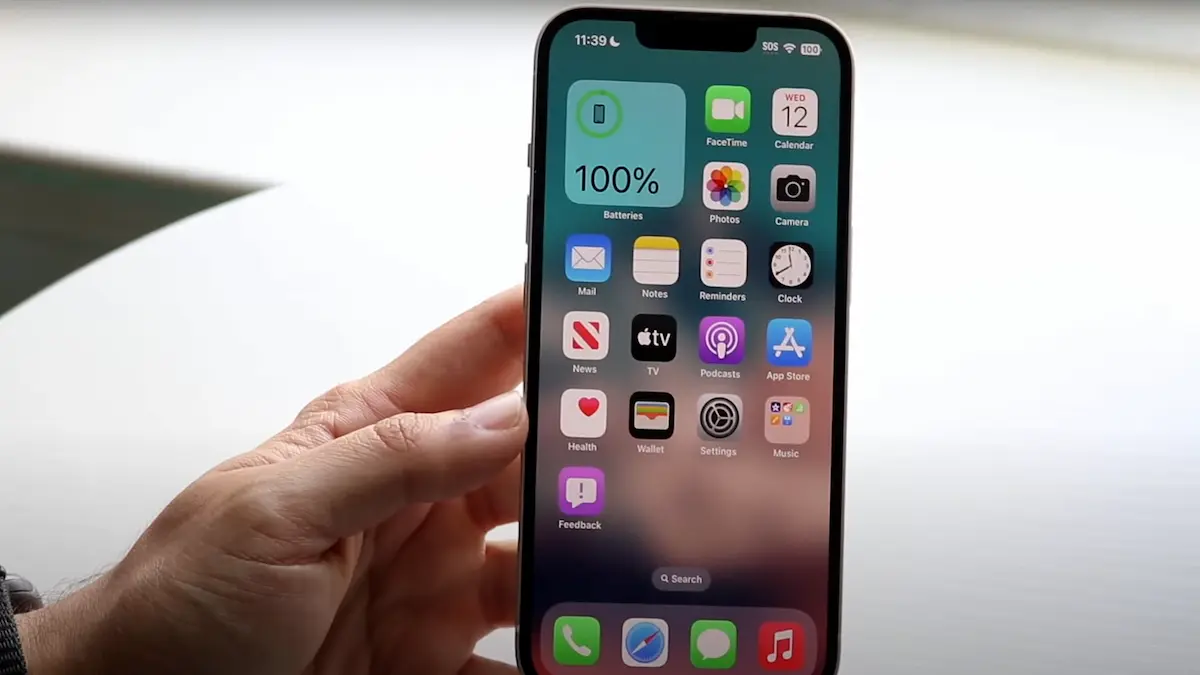
First, some normalization: phones heat up while charging—especially during fast charging or heavy usage. That’s normal. But “overheating” means one or more of these:
The back or screen feels uncomfortably hot to touch, more than just “warm.”
The battery drains fast even while charging.
The screen dims automatically or performance slows.
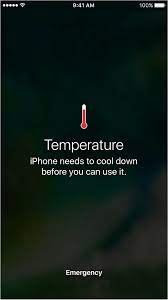
You see a system warning (“iPhone temperature — needs to cool down”) and functions may be disabled until it cools.
Why your iPhone 12 might be heating up during charge
Here are some of the most common causes—some you can fix yourself; others may need more effort.
Charger / cable quality
Cheap or non-certified adapters (or cables with internal damage) can cause inefficient power transfer. That inefficiency turns into heat.
Using the phone while charging
Streaming video, doing video calls, gaming, or GPS—all while charging—means your phone is working on charging and on those tasks. That double work makes it sweat.
Poor ventilation / environment
Charging in direct sunlight, inside a hot car, under a pillow, or in a cramped case removes airflow. Heat builds up.
Wireless charging or fast chargers
Wireless charging (especially with MagSafe) tends to generate more heat than wired charging. Fast chargers also push more current, which can generate extra thermal stress.
Background activity & software bugs
Apps refreshing, location services, updates, or rogue apps misbehaving can use CPU/GPU power in the background, adding heat. Also, bugs in iOS can sometimes cause thermal mismanagement.
Battery health
If your battery is aged, degraded, or damaged, its internal resistance increases, which means it heats more during charging.
Hardware issues
Defects—faulty battery, damage from drops, water exposure—can contribute. Also, sensors that control thermal regulation sometimes fail.
When you should worry
Because sometimes heat is just “normal working warmth.” But these are red flags:
The phone shuts off or shows a temperature warning while charging.
You can’t touch the backplate without discomfort.
The battery capacity is below ~80%, and symptoms are worsening.
You notice swelling or see display artifacts.
If any of these happen, stop using it for a bit, let it cool, and consider repair.
How to stop your iPhone 12 from overheating while charging
Here’s what you can do now—practical, actionable, and things people often overlook. I’ll also share some habits that prevent the problem from coming back.
Use genuine or MFi-certified charger + cable
This is the single biggest change most people need. Don’t buy just the cheapest thing. A good certified accessory ensures safe power delivery, which reduces heat.
Charge with lower wattage when possible
If you have a fast charger (say, 20- or 30-W), try using a more moderate charger (12 W or so) when you’re not in a rush. Slower charging = less heat generation.
Remove your case while charging
Especially thick or non-ventilating cases trap heat. Taking off the case lets heat dissipate more easily.
Keep the iPhone in a cool, ventilated place
Avoid charging in hot spots (dashboard, bed under blankets, direct sun). Put it on a desk, hard surface, not under pillow or couch cushions.
Don’t use heavy apps or high-performance features while charging
Pause gaming, video streaming, camera use, etc.
Turn off location tracking & GPS for apps that don’t need it.
If battery is low, allow charging undisturbed.
Close or restrict background apps
Go to Settings → Battery → Battery Usage to see which apps are draining most. Also disable Background App Refresh for apps you rarely use.
Update iOS and apps
Apple and app developers release fixes over time. Sometimes overheating is a known bug. Keeping software fresh is surprisingly helpful.
Check battery health
In Settings → Battery → Battery Health. If maximum capacity has fallen significantly, or if Apple indicates “Service” needed, battery replacement might solve overheating.
Restart or reset settings if software glitch suspected
Sometimes a rogue app or configuration is causing constant load. Restart your phone; if needed reset all settings (Settings → General → Reset → Reset All Settings). This keeps your data but resets network, display, etc.
Seek professional help
If after all of the above your iPhone 12 still overheats consistently, it may be hardware — battery degradation, damaged sensors, or board issues. Visiting an Apple Store or a trusted repair shop is best.
Related Posts
Questions People Ask Answered
These are questions people commonly search when their iPhone 12 is overheating while charging. Including answers helps search visibility and helps your readers.
Is it normal for iPhone 12 to get warm while charging?
Yes. Some warmth is totally normal—especially fast charging or wireless charging. The trouble is when it’s hot, uncomfortable to hold, or showing warnings. That signals it’s past normal operating heat.
Will using a wireless charger make my iPhone 12 hotter than wired charging?
Usually yes. Wireless (Qi or MagSafe) chargers tend to produce more heat because of inefficiencies in energy transfer: energy is lost more as heat. If overheating is an issue, wired charging with a quality cable and charger is often cooler.
Does battery health affect overheating?
Definitely. Batteries degrade over time; their internal resistance increases, which means they heat more when current flows. If your battery’s maximum capacity is low, or iOS indicates service is needed, that’s a red flag.
Can iOS updates fix overheating issues?
Yes. Apple often releases updates that improve thermal management, optimize charging algorithms, or fix obscure bugs that cause excessive CPU usage. Keeping iOS and your apps updated is one of the simplest fixes.
Should I stop charging overnight if it overheats?
It’s not about stopping overnight charging per se, but how and where. Overnight charging under your pillow or in a hot room can trap heat. If you’re charging overnight, try doing it in a cool place, with good airflow, and perhaps remove the case.
Users Experience: What Other Users Observe
Sometimes the anecdotes tell you what Apple docs or specs don’t:
Some people report brightness dimming automatically even when they haven’t changed it – a thermal protection kick-in. Apple Support Community
Others say wireless charging + case + sitting in the car has caused the phone to get so hot it displays the temperature warning. Taycan Forum
Many notice that behavior improves after updating iOS, or after replacing a battery. macReports+1
Final thoughts: how to treat your iPhone 12
Phones are tools, not perfect machines. It’s easy to get frustrated when your iPhone 12 is burning your hand or dimming unexpectedly. But a lot of the “overheating while charging” issue comes from settings, environment, and usage—things you can control.
Here’s a simple mental checklist to keep in mind:
Am I using a good charger + cable?
Is the phone being asked to do too much while charging?
Is it located somewhere ventilated and cool?
Is the software up to date?
Is my battery still healthy?
If you treat it gently and pay attention, you’ll likely reduce or eliminate the problem. And if all else fails, a repair or battery replacement may save you a lot of hassle.
By fixing those root causes, you’re not just preventing overheating—you’re protecting battery health, improving performance, and getting more life out of your iPhone 12.